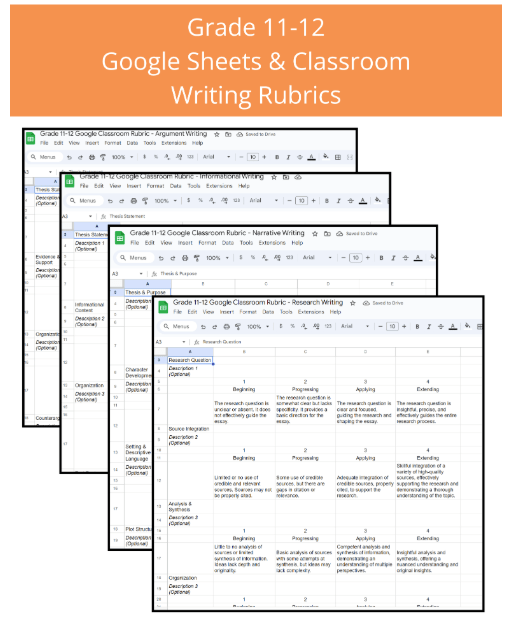
Let’s be real, grading can feel like a never-ending uphill battle, especially for English teachers. Between essays, poems, presentations, and everything in between, we’re drowning in papers (and sometimes tears). But I have a game-changer that’s saved my sanity and boosted my efficiency: Google Classroom Rubrics! 🎉
I used to spend hours – seriously, hours – poring over essays, trying to remember my own grading criteria while simultaneously battling the urge to nap on a pile of papers. The inconsistency was driving me crazy, and the whole process was soul-crushing.
But then, a lightbulb moment! I discovered the power of Google Classroom rubrics, and my life (and grading) transformed. These aren’t your grandma’s rubrics (though kudos to grandma for her dedication!). These are digital, customizable, and time-saving wonders!
Here’s how I’ve incorporated them into my classroom and seen incredible results:
- Clear Expectations from the Start: Before even assigning an essay, I create a rubric in Google Sheets that I can then import into Google Classroom. (This is way easier than creating the rubrics directly in Classroom, in my opinion.) Students can access it anytime, ensuring complete clarity on expectations for content, organization, grammar, and style. This eliminates those “But I didn’t know what you wanted!” arguments. 😉
- Streamlined Feedback: Instead of writing lengthy comments on each paper, I use the rubric’s point system to quickly assess each criterion. I can then add brief, targeted comments within the Google Doc itself, focusing on specific areas for improvement. This makes feedback concise and actionable for students.
- Time-Saver: Let’s be honest, this is the best part. The time I’ve saved is phenomenal. I can grade more efficiently, giving me more time to plan engaging lessons, connect with students, and maybe even grab that much-needed cup of coffee. ☕
Here’s a quick example: For a literary analysis essay, I might create a rubric with categories like: Thesis Statement (10 points), Evidence & Analysis (20 points), Organization (10 points), Grammar & Mechanics (10 points). Each category has a detailed description of what constitutes a high-scoring response, a mid-range response, and a low-scoring response. This all goes in a Google Sheet that I import directly into the assignment in Google Classroom. Everything is housed in one spot: the assignment description, the rubric, student submissions, and my feedback.
Want some pre-made, standards-based rubrics for narrative, informative, and argumentative writing? Click here!
Ready to ditch the paper cuts and embrace the digital age of grading? Here’s your action plan:
- Explore Google Sheets & Google Classroom: Familiarize yourself with the rubric creation process. It’s super intuitive!
- Create Your First Rubric: Start with a simple assignment. Don’t overwhelm yourself.
- Share and Iterate: Share the rubric with students before the assignment. Get feedback, refine as needed.
Trust me, incorporating Google Classroom rubrics is one of the best things I’ve done for my teaching practice. It’s not just about grading; it’s about creating a more efficient, effective, and frankly, less stressful classroom environment. Let’s support each other and make grading a little less daunting! What are your favorite grading hacks? Share in the comments below! 👇
 KatieMacTeach